Work changed.
Update every training video — in every language — without
 |

When work changes or compliance rules shift, your videos shouldn’t take months to catch up. edON AI updates speech, slides, and subtitles across all languages in a single workflow. Full traceability. No rebuilds.
Tic icon
Video, slides, and subtitles in one workflow
Tic icon
AI voice with multi-speaker support and word emphasis
Tic icon
Manual control over video vs slide visibility
main page
icon of chart
icon of message
Brands That Put Trust In Us

How It Works

All in one drop
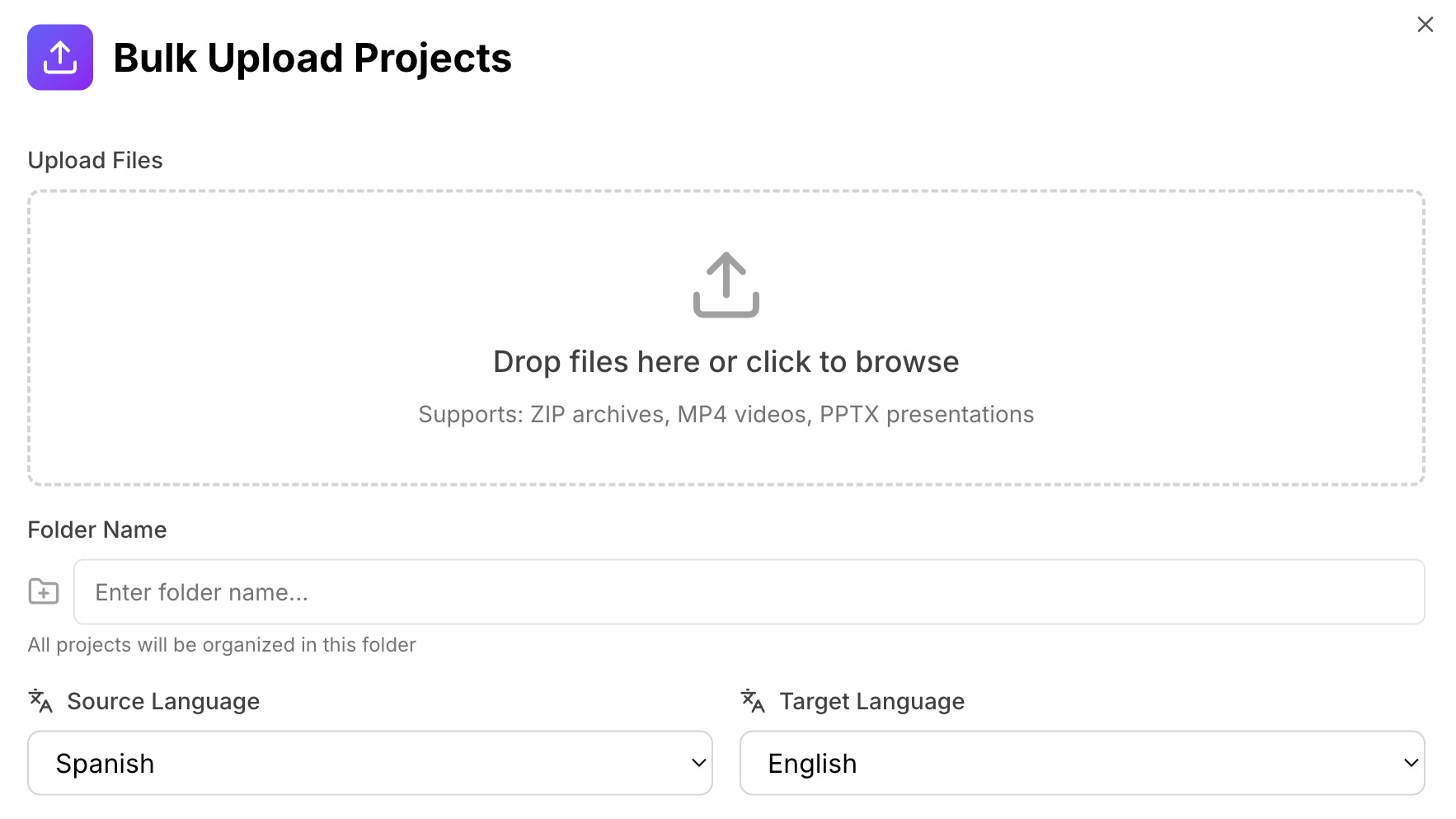
bulk upload
Upload video and slides
Upload files individually or in bulk. edON.ai auto-matches videos and slide decks.
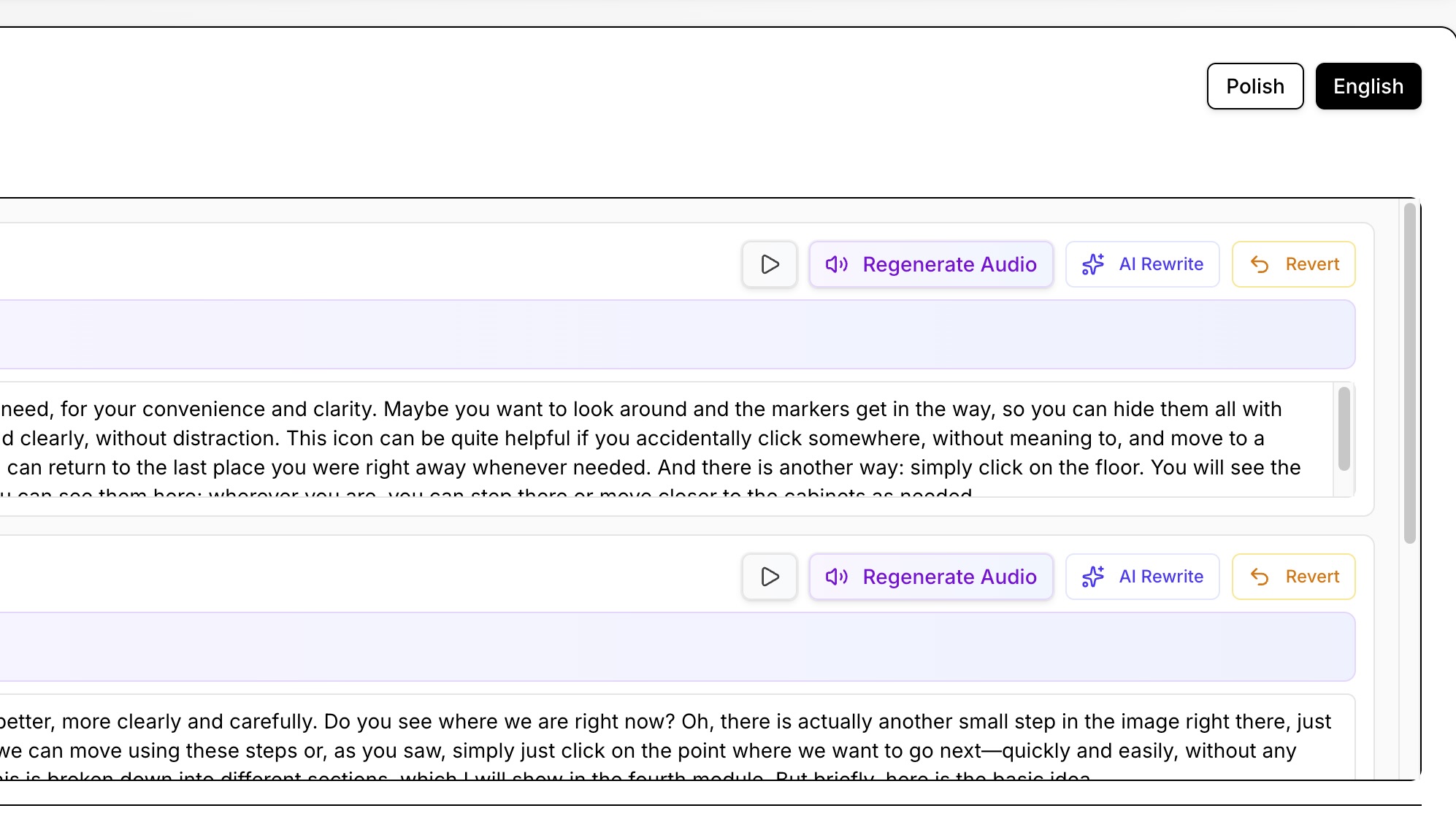
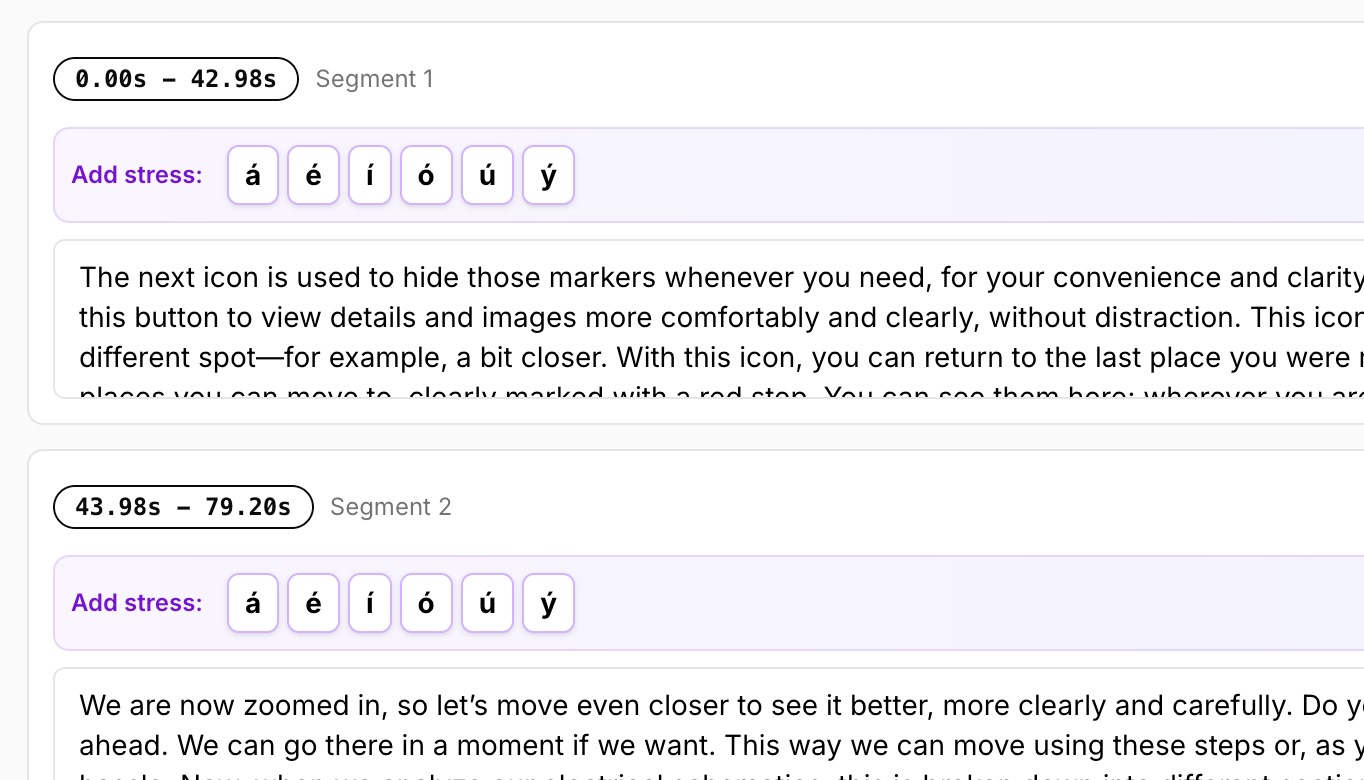
transcript : emphasis
Edit freely
Translate content
Speech, subtitles, and slide text are translated automatically.
Change the flow
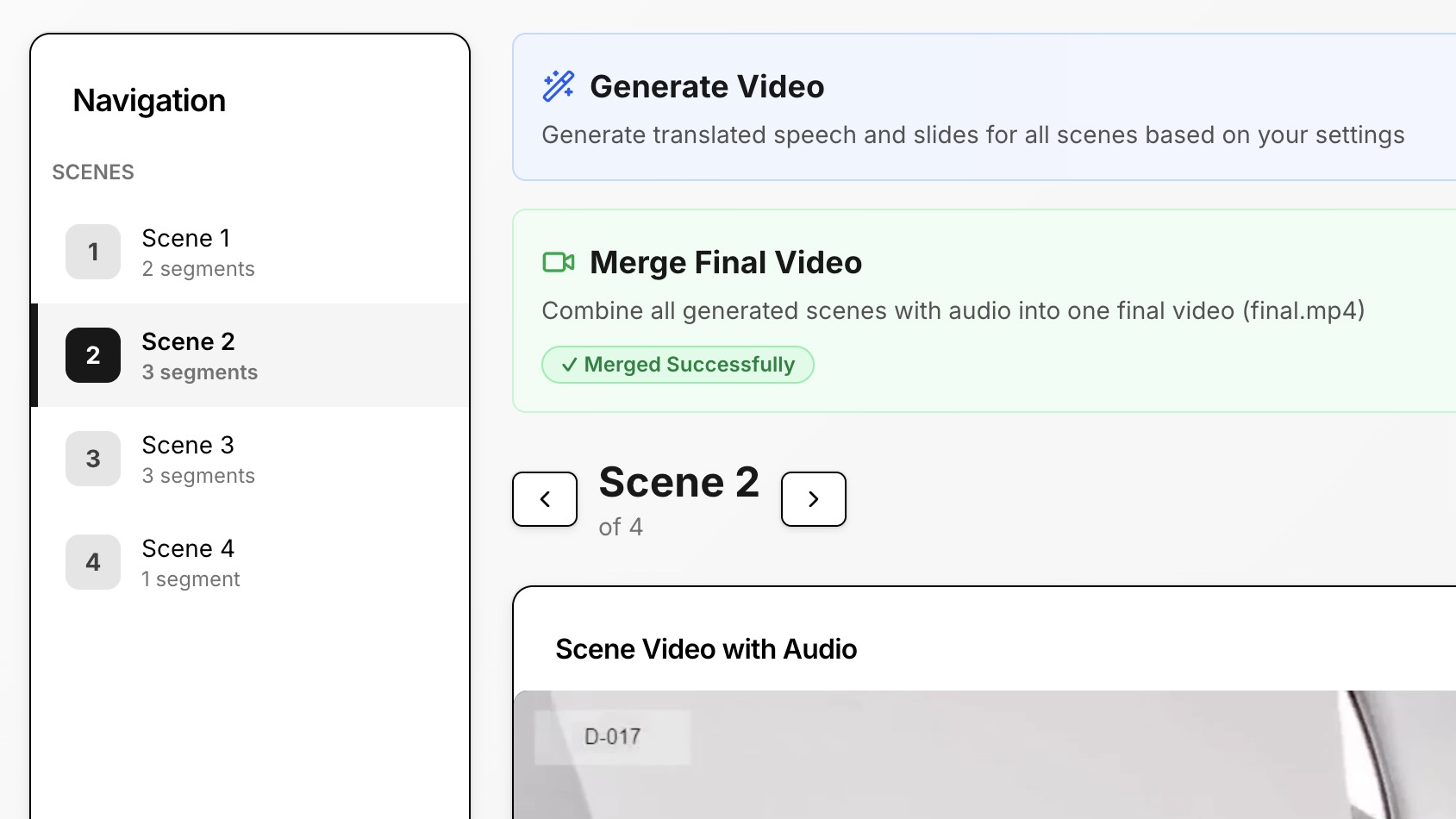
scenes
Control presentation flow
Decide when the viewer sees the speaker and when they see slides.
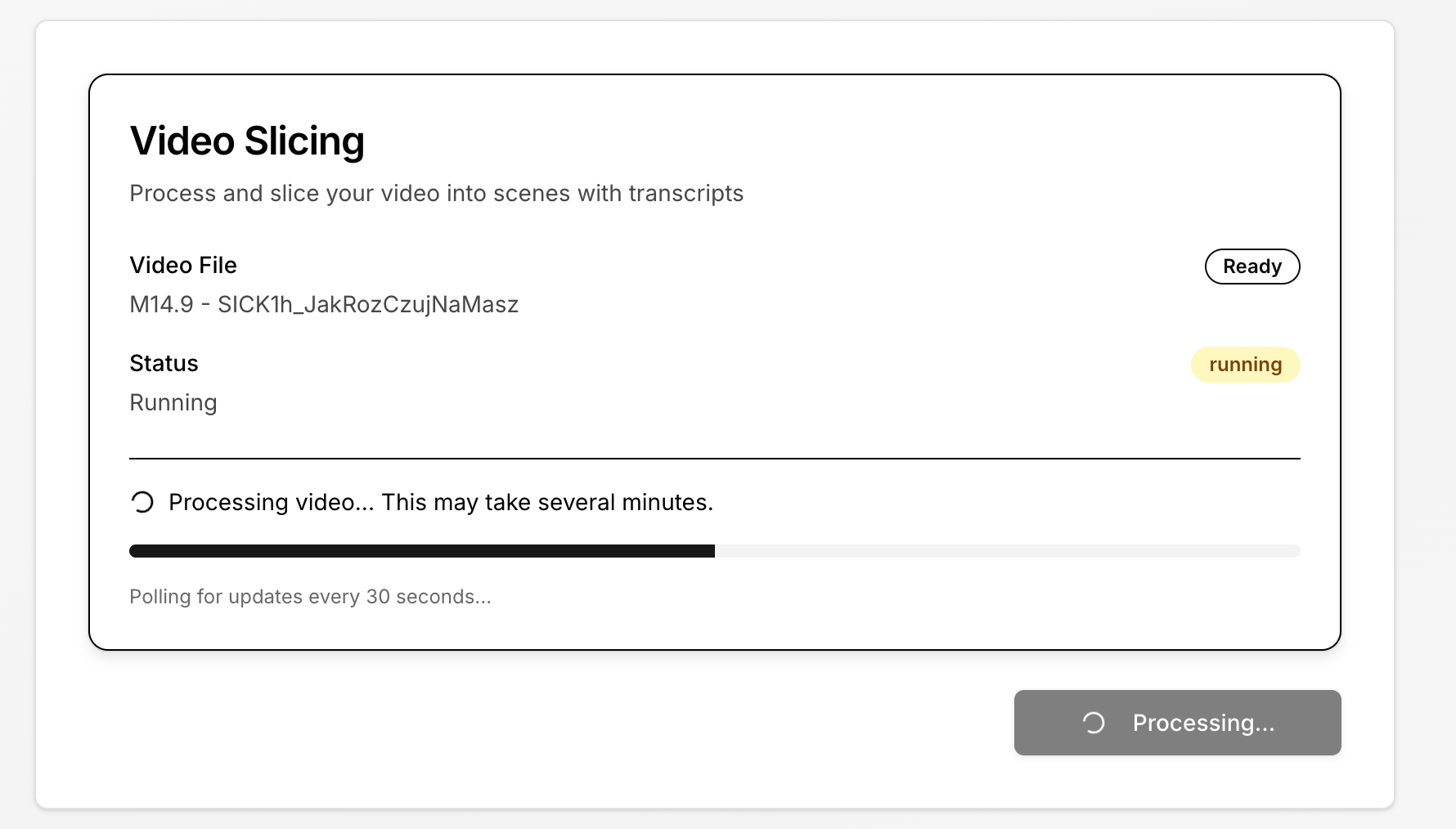
video slicing
Status update
Edit, Fine-Tune & Export
Edit transcripts, subtitles, timing, and manually adjust word emphasis before exporting.

Core Features

AI Voice Translation and Multi-Speaker Support
Video & Speaking Speed Unification (AI)
Video or Slide View Control
text icon
Slide, Speech-to-Text Translation and word Emphasis
Bulk Upload and Auto-Matching Videos & Slides
Subtitles and Transcript Editing
Folder Management
AI Voice Translation and Multi-Speaker Support
Natural-sounding AI voice for translated audio — consistent tone across the video.
Automatically handles videos with multiple speakers.
background
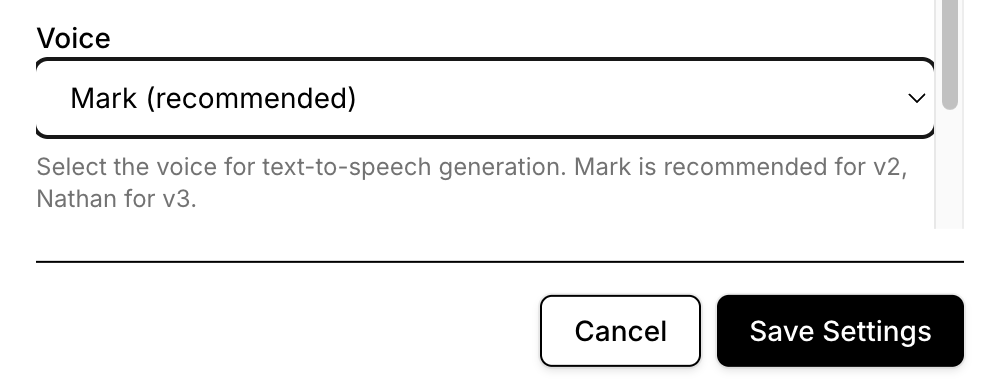
Select speaker
select voice
Video & Speaking Speed Unification (AI)
AI automatically normalizes speaking speed and video pacing for smoother playback.
scenes
Status update
Video or Slide View Control
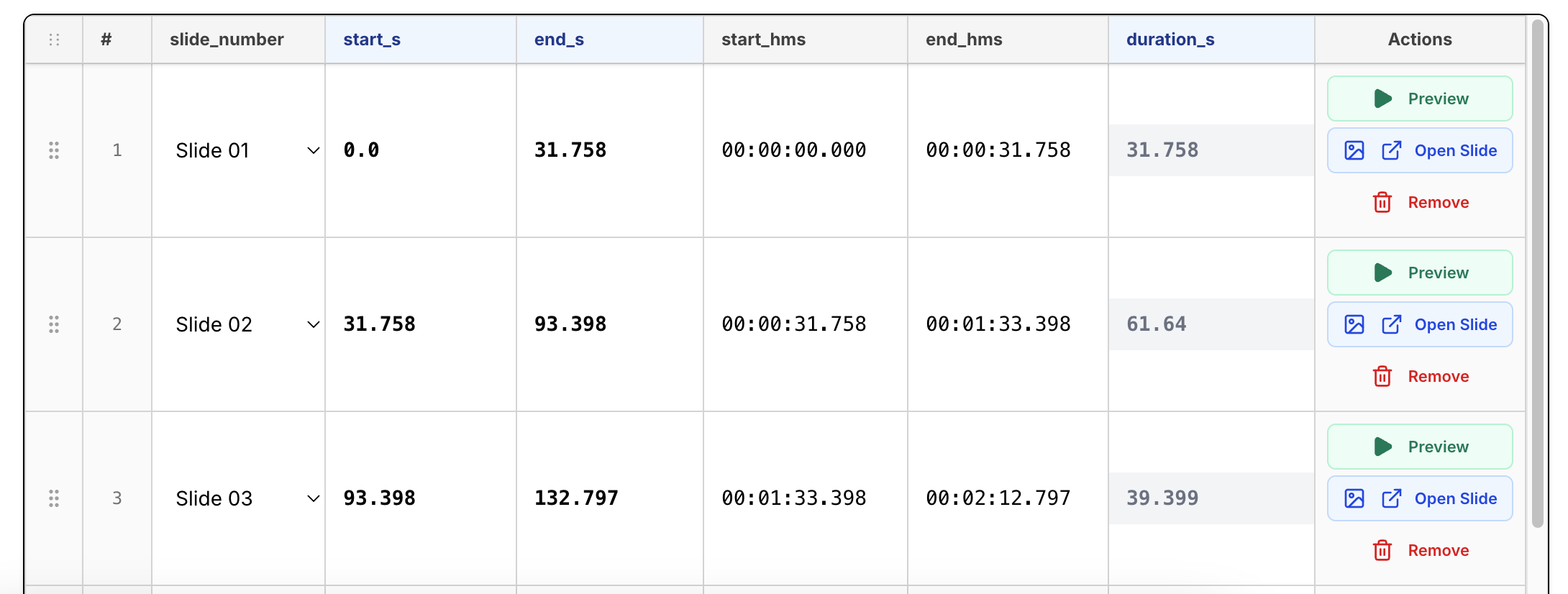
Choose exactly when to show the original video and when to show slides during playback.
timestamp
Easily manageable
text icon
Slide, Speech-to-Text Translation and word Emphasis
Slide text is translated while preserving structure and order.
Accurate transcription and translation for spoken content.
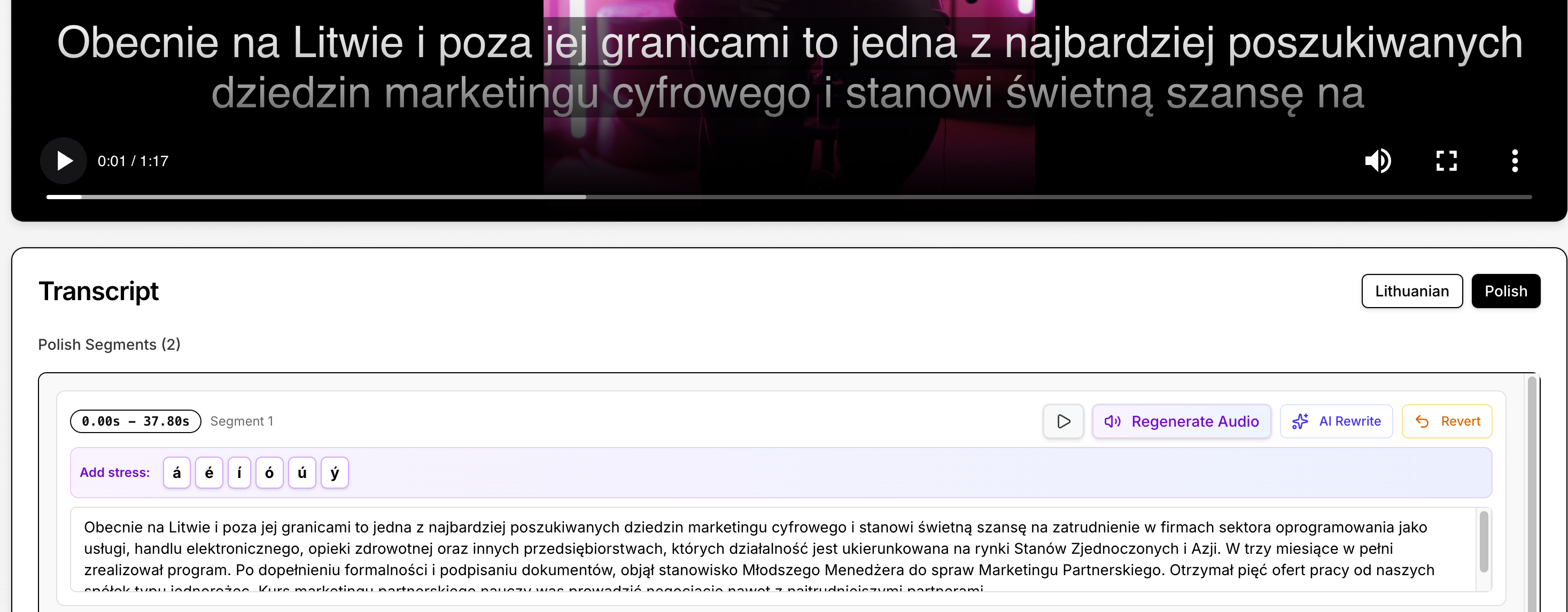
Control stress and pronunciation by manually emphasizing specific words and phrases in the translated voice.
transcript : emphasis
Edit slide text
Bulk Upload and Auto-Matching Videos & Slides
Upload multiple videos and slide decks at once.
Videos and slides are automatically matched by filename — no manual pairing.
bulk upload
Drag and drop
Subtitles and Transcript Editing
Automatically generated subtitles in the target language, fully editable.
Edit the full transcript before export. Changes instantly update subtitles and AI voice output.
Subtitles
Edit subtitles
Folder Management
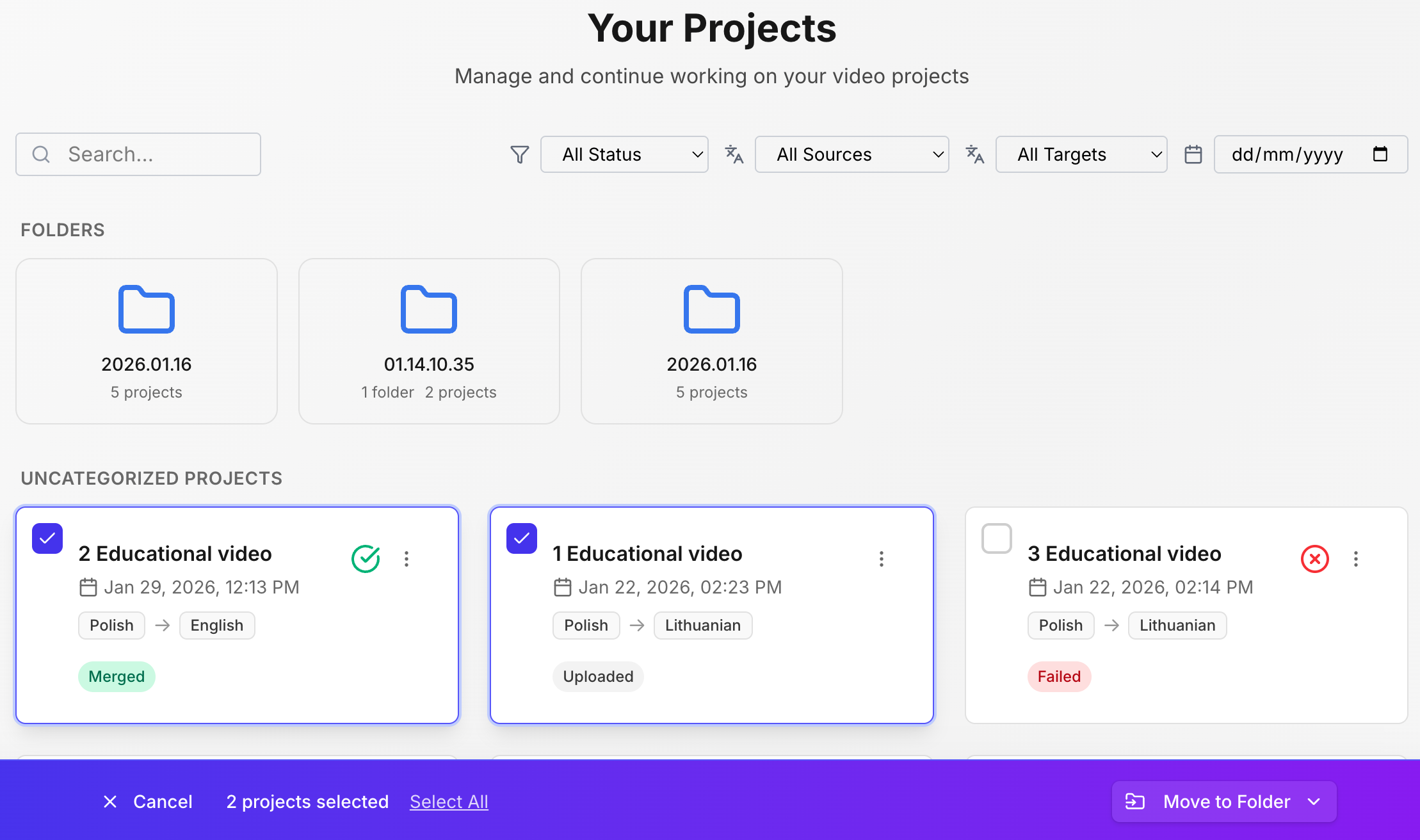
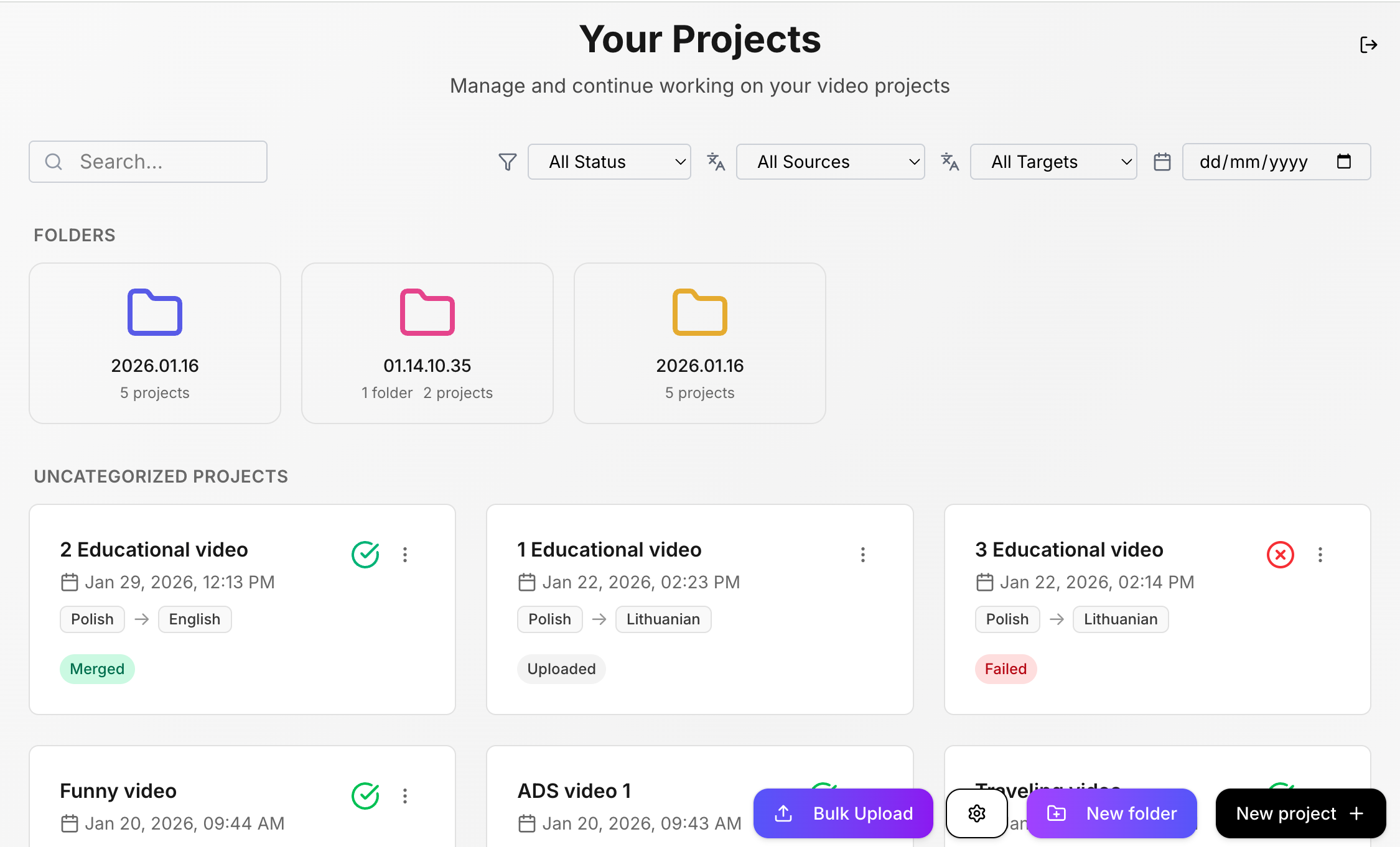
Organize content into separate folders.
select all main page
Select all
AI Voice Translation and Multi-Speaker Support
Natural-sounding AI voice for translated audio — consistent tone across the video.
Automatically handles videos with multiple speakers.
background
Select speaker
select voice
Video & Speaking Speed Unification (AI)
AI automatically normalizes speaking speed and video pacing for smoother playback.
scenes
Status update
Video or Slide View Control
Choose exactly when to show the original video and when to show slides during playback.
timestamp
Easy fix
Slide, Speech-to-Text Translation and word Emphasis
Slide text is translated while preserving structure and order. Accurate transcription and translation for spoken content.
transcript : emphasis
Edit slide text
Bulk Upload and Auto-Matching Videos & Slides
Upload multiple videos and slide decks at once.
Videos and slides are automatically matched by filename.
bulk upload
Drag and drop
Subtitles and Transcript Editing
Automatically generated subtitles in the target language, fully editable.
Edit the full transcript before export. Changes instantly update subtitles and AI voice output.
Subtitles
Edit subtitles
Folder Management
Easily organize and manage your projects by grouping related content into clearly structured folders.
select all main page
Select to move
Speech-to-Text word Emphasis
Control stress and pronunciation by manually emphasizing specific words and phrases in the translated voice.
transcript : emphasis
Stress level

Who edON.ai Is For

Corporate training teams
Product and sales enablement
Online education & courses
Internal company communications
Global marketing teams
If your organization delivers training with slides and video —
especially in regulated or multilingual environments — edON.ai fits.

Ready to Localize Your Video Content?

See how edON.ai simplifies video and slide translation — without rebuilding your content.
Thank you! Your submission has been received!
Oops! Something went wrong while submitting the form.

Frequent Queries Explained

What does edON.ai do exactly?
chevron-up-arrow
Can I control when slides appear instead of the video?
chevron-up-arrow
Does edON.ai translate both speech and slide text?
chevron-up-arrow
Can I edit transcripts and subtitles?
chevron-up-arrow
Can I manually control pronunciation and word emphasis?
chevron-up-arrow
Does edON.ai support multi-speaker videos?
chevron-up-arrow
Can I upload multiple videos and slides at once?
chevron-up-arrow
How do I get started if there’s no pricing yet?
chevron-up-arrow